
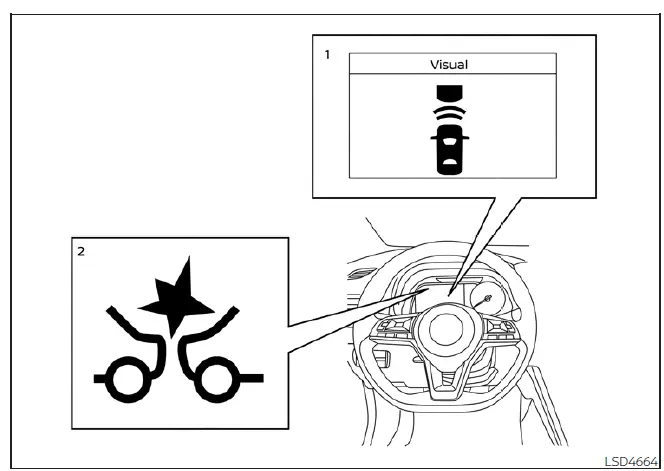
- Vehicle ahead detection indicator
- AEB with Pedestrian Detection system warning light
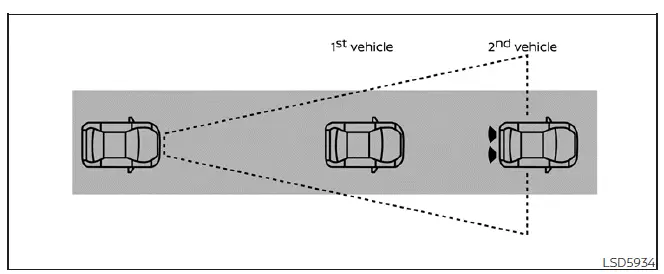
The I-FCW system is fully active when the Nissan Leaf is traveling at speeds above approximately 3 mph (5 km/h), ensuring protection during both low-speed city driving and highway cruising.
If the system identifies a potential risk of a forward collision—such as the vehicle ahead braking abruptly—the I-FCW system will immediately notify you by flashing the vehicle ahead detection indicator on your display, supplemented by a distinct audible alert to ensure your attention is drawn to the road ahead.
Turning the I-FCW system on/off
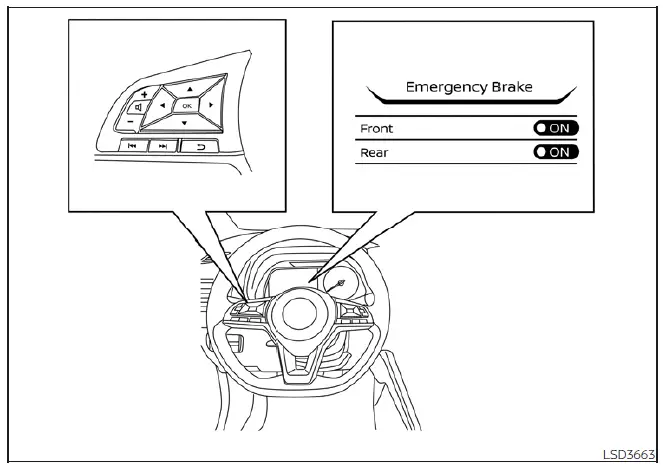
You can manage your safety preferences through the vehicle information display by following these steps:
1. Use the  button to navigate until the "Settings" menu appears. Then, use the
 buttons to highlight "Driver Assistance" and press the OK button to confirm.
2. Select "Emergency Brake" from the list and press the OK button.
3. Select "Front" and use the OK button to toggle the system status to ON or OFF.
Please note that whenever the I-FCW system is deactivated, the AEB with Pedestrian Detection system warning light will illuminate to signify that these safety features are currently disabled.
Note: For your safety, the I-FCW system defaults to the ON state every time the EV system is restarted. Furthermore, because the I-FCW system is deeply integrated into the AEB with Pedestrian Detection architecture, there is no separate menu option for the collision warning alone; disabling the AEB system simultaneously turns off the I-FCW system.
See also
I-FCW system limitations
WARNING The following list details the specific operating limitations of the I-FCW system. Failure to operate your Nissan Leaf while mindful of…
System temporarily unavailable
Condition A In specific scenarios where the radar sensor encounters electromagnetic interference from an external radar source, the system may…